Security scan
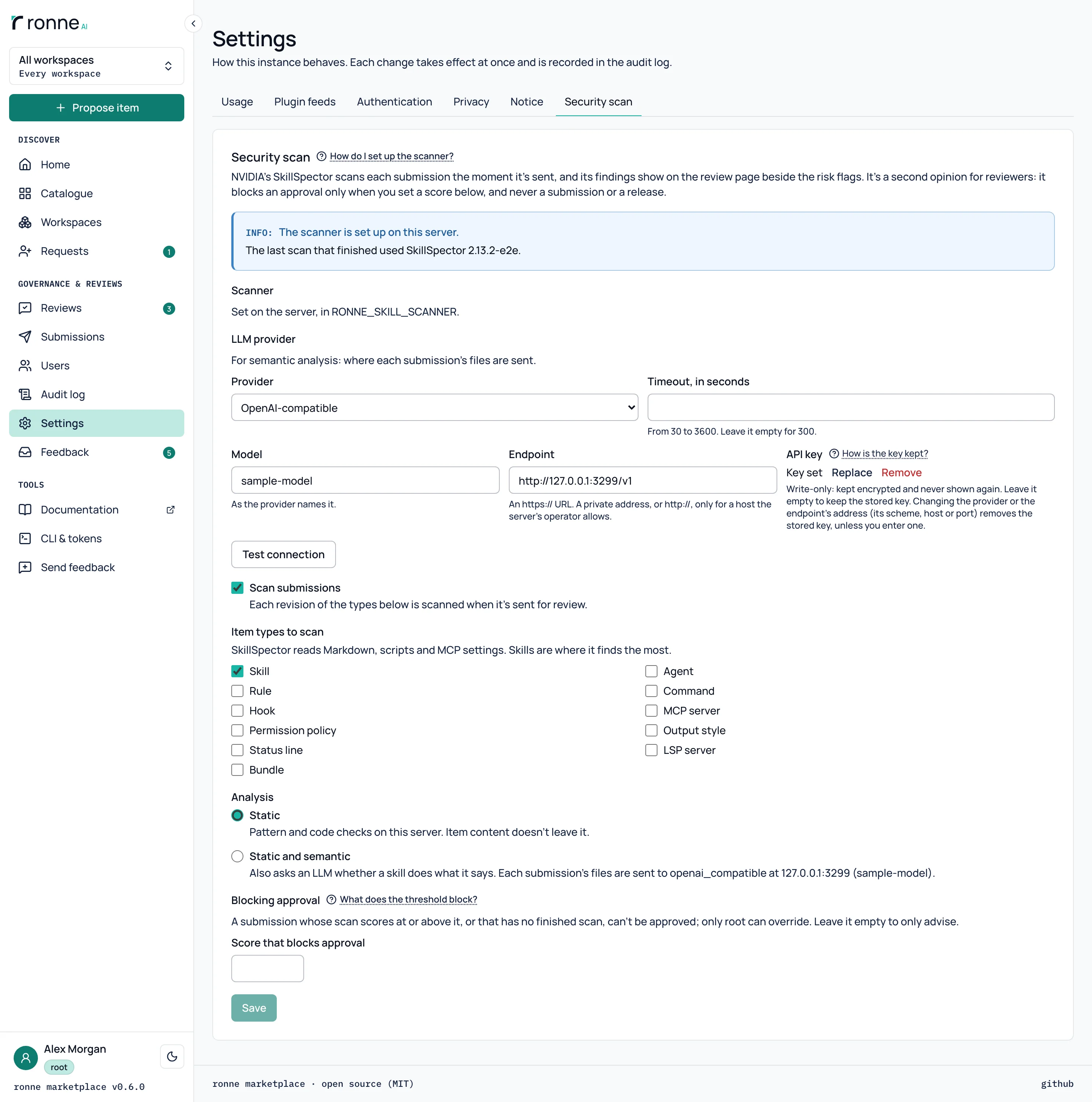
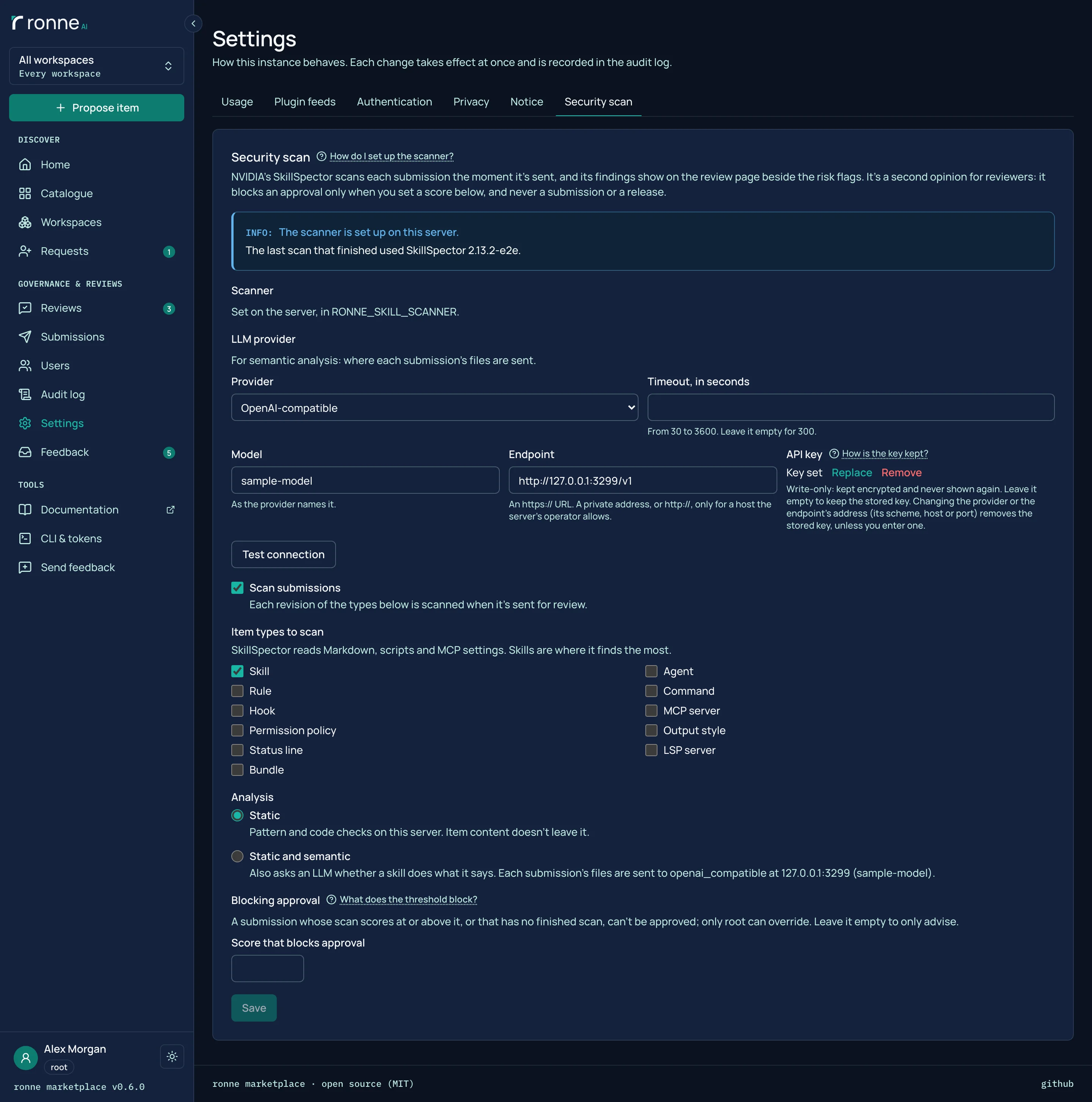
Screenshots of version 0.6.0, running on a new instance with the sample items from the repository. The people in them are sample accounts, and the usage counts are simulated. The identity provider and the security scanner in them are stand-ins made for tests.
Set the scan up in the browser
On Admin › Settings › Security scan, root turns the scan on, picks the item types to scan (Skill by default), and chooses between a static scan, which runs on your server, and a static and semantic one, which also asks an LLM provider and so sends the files to it. The provider's API key can be written but never read back, and Test connection says whether the provider answers. On a Docker install the scanner runs in containers beside Ronne. Reviewers then get a Security scan tab on the review page, with the findings by file and line, a recommendation and a score out of 100; they can mark a finding as a false positive, accept the risk or ask the author to fix it. Root can set a score that blocks approval and override it with a reason. Otherwise the scan only advises: it never blocks a submission or a release.
Want to try it? Run the Docker image, or read the code.