Skip to content
Features: Catalogue

Catalogue

Screenshots of version 0.5.0, running on a new instance with the sample items from the repository. The people in them are sample accounts, and the usage counts are simulated. The identity provider in them is a stand-in made for tests.

The catalogue

Every released item, with search, filters and the rmk install command for each one. Each item names its workspace and scope, and items that review flags as risky, such as hooks, permission policies and MCP servers, say so in the list. A left sidebar groups the pages by what you are doing, and folds into a rail of icons.
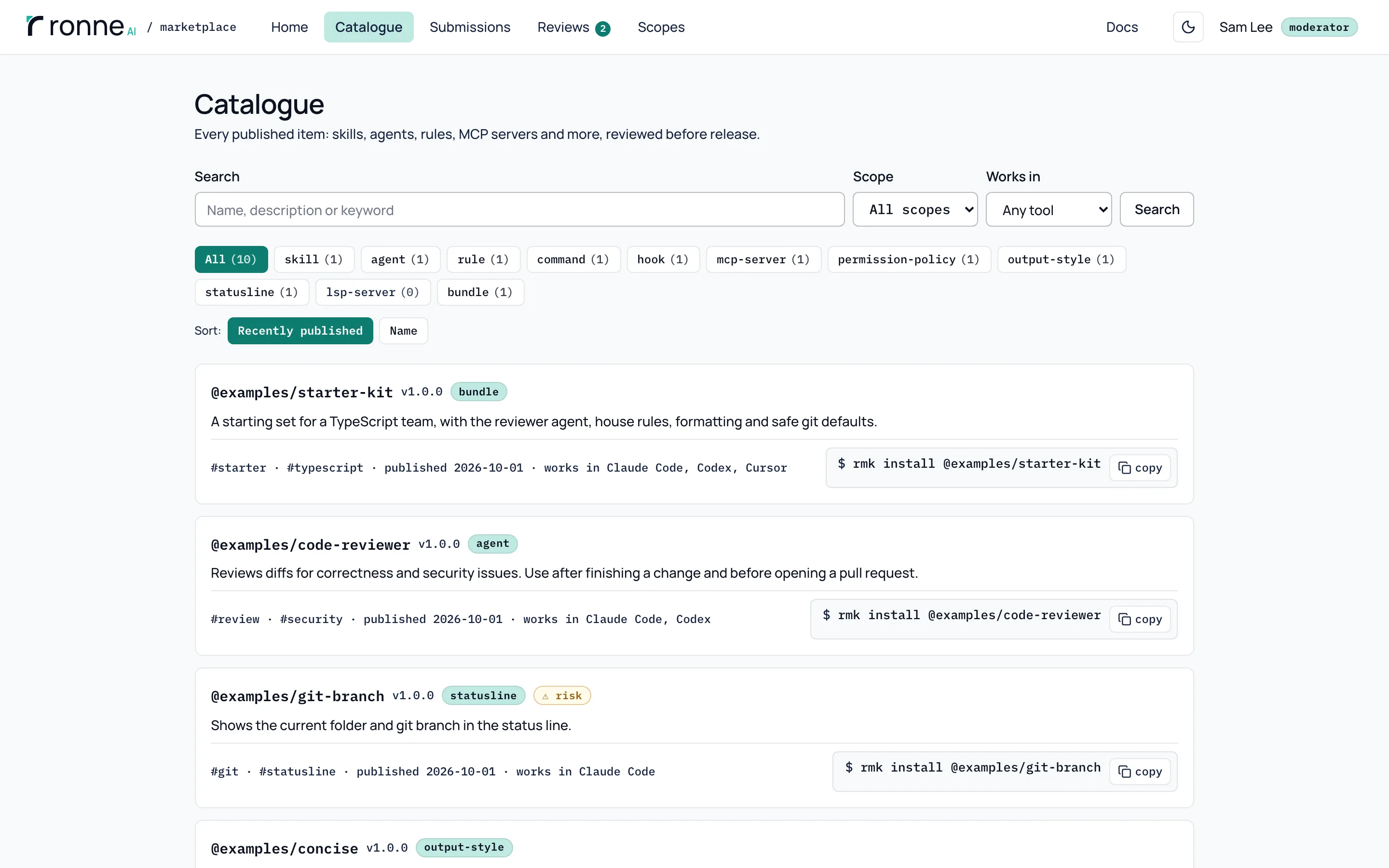
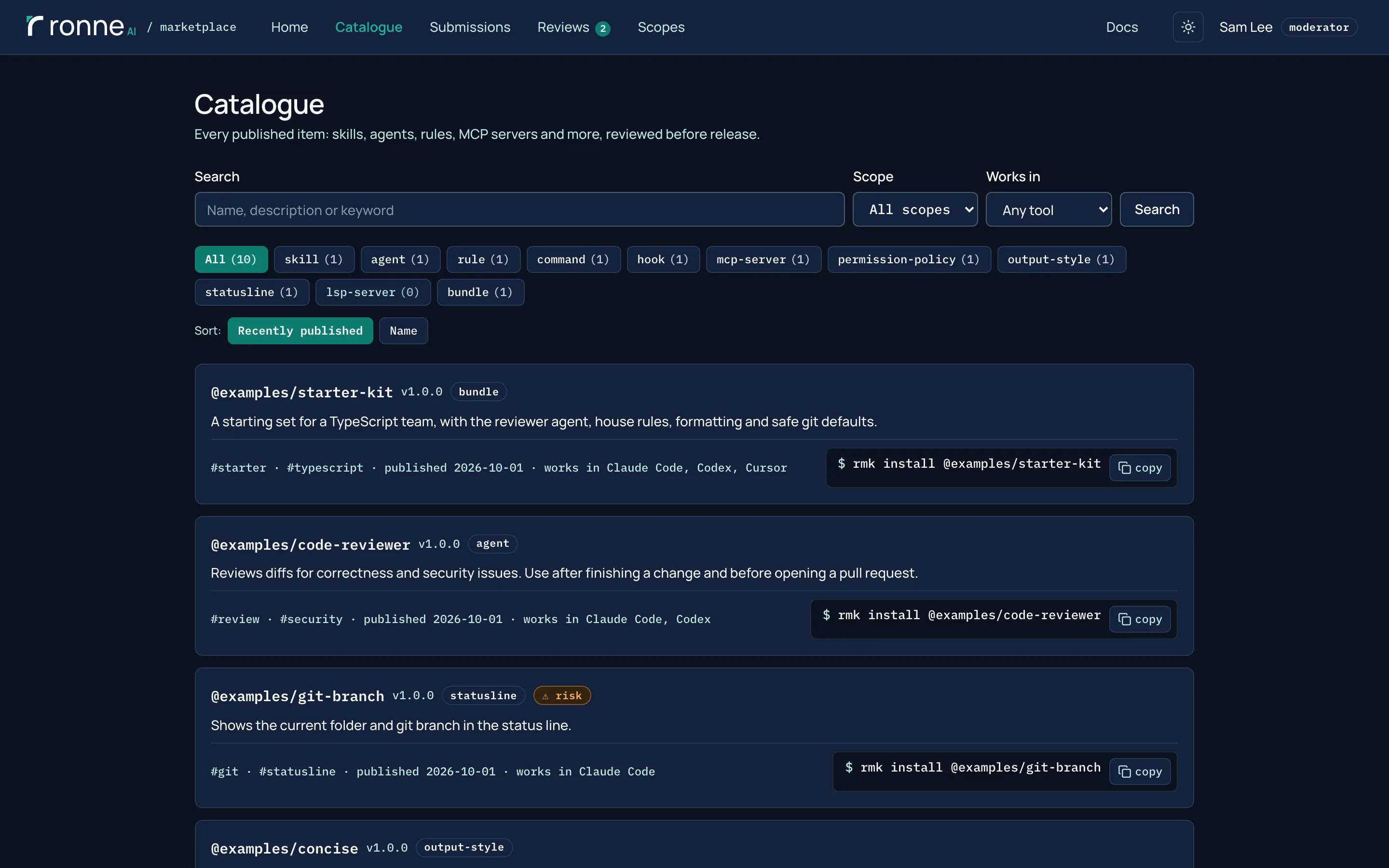
The catalogue with the left sidebar: the workspace switcher, Propose item and the pages in three groups. Beside it, a search field, Filters and Sort buttons, and the released items, each with its workspace, scope, type, the tools it works in, its installs and its install command.The catalogue with the left sidebar: the workspace switcher, Propose item and the pages in three groups. Beside it, a search field, Filters and Sort buttons, and the released items, each with its workspace, scope, type, the tools it works in, its installs and its install command.

Work in one workspace

The sidebar's switcher sets the workspace you are working in. The Catalogue, Reviews and My submissions then show only that one, and New item starts in it, until you choose All workspaces. It narrows what you see, never what you are allowed to do.
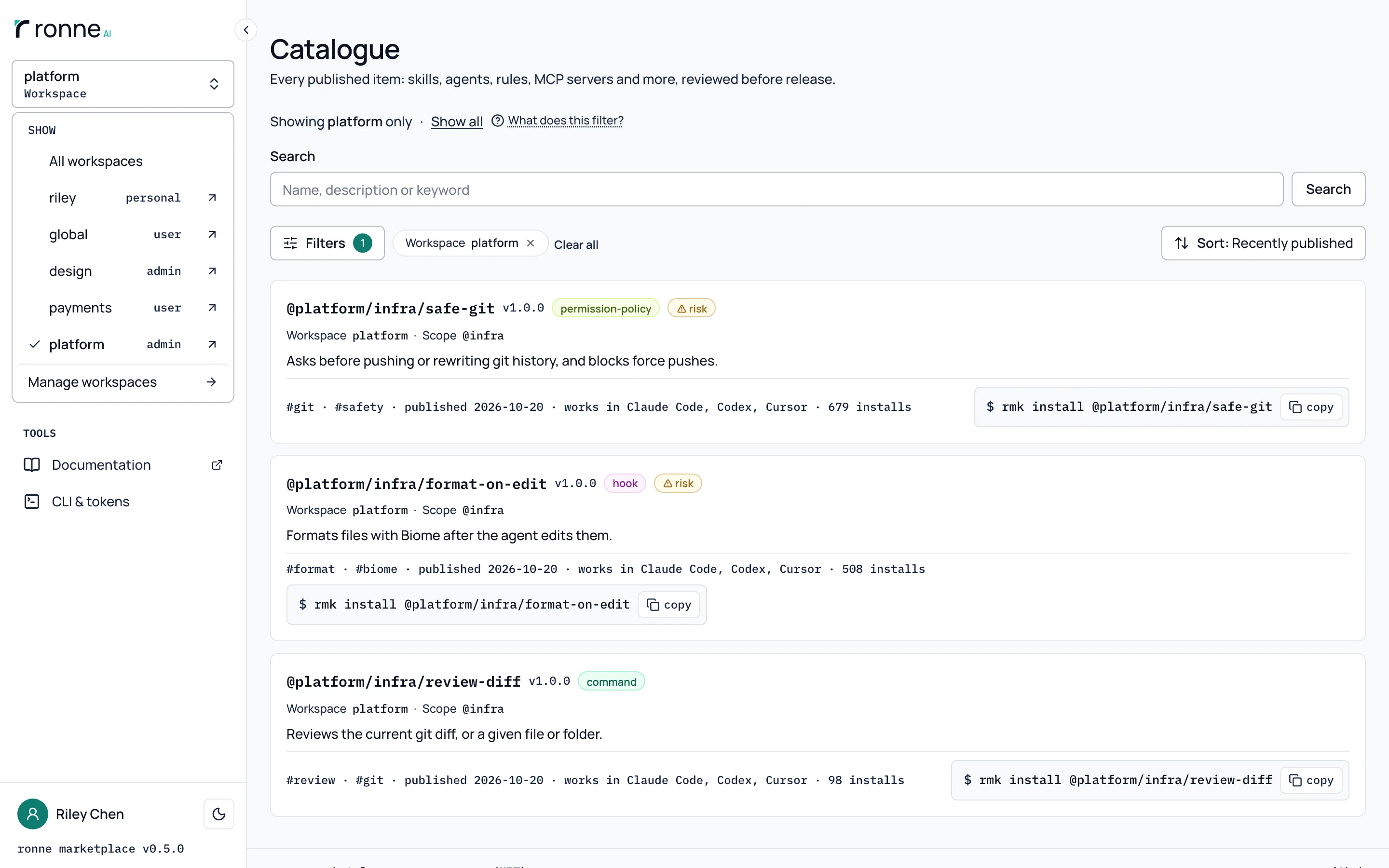
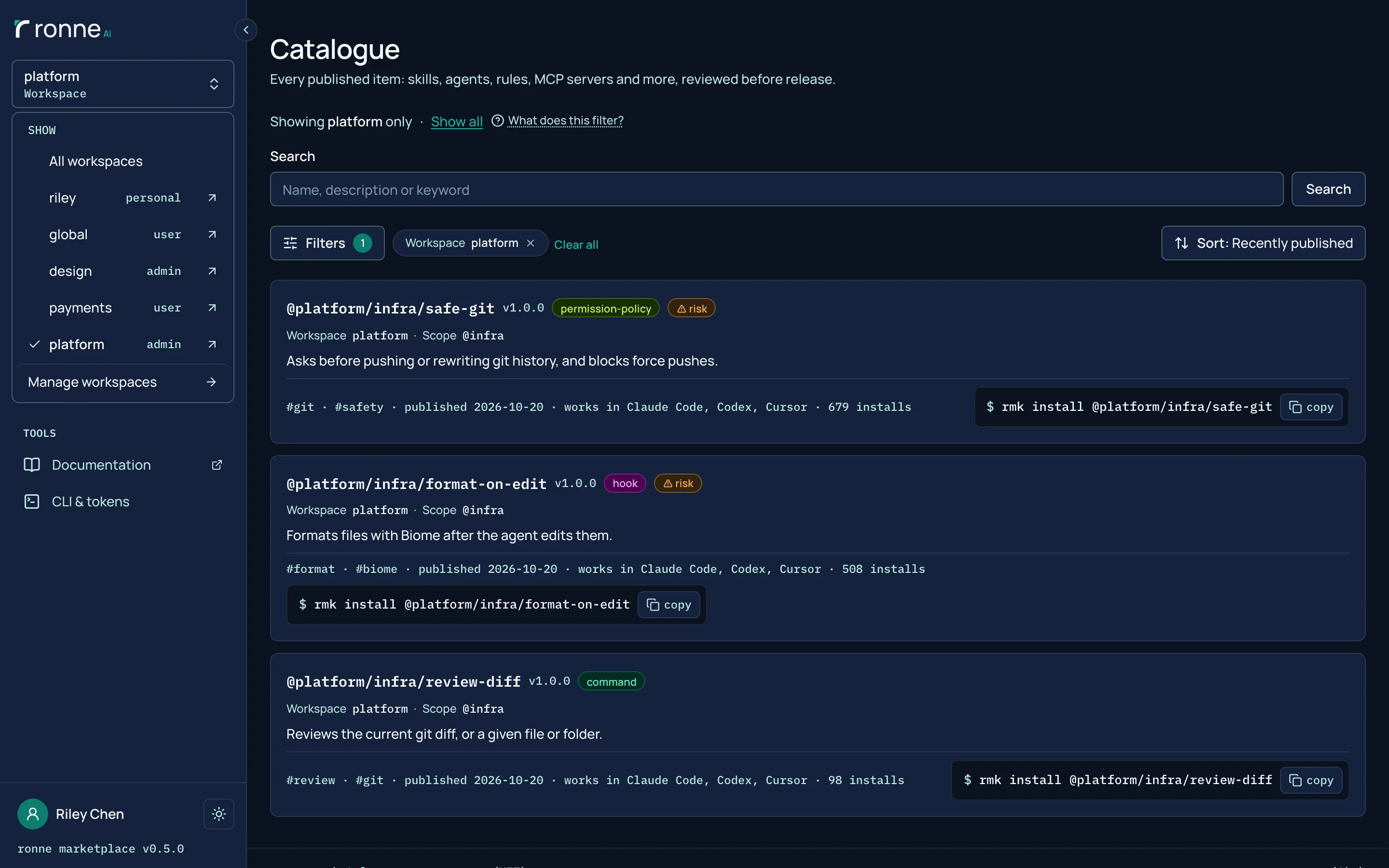
The Catalogue with the sidebar's workspace switcher open: All workspaces, a personal workspace and four more, platform checked, and below it the three platform items under Showing platform only.The Catalogue with the sidebar's workspace switcher open: All workspaces, a personal workspace and four more, platform checked, and below it the three platform items under Showing platform only.

Want to try it? Run the Docker image, or read the code.